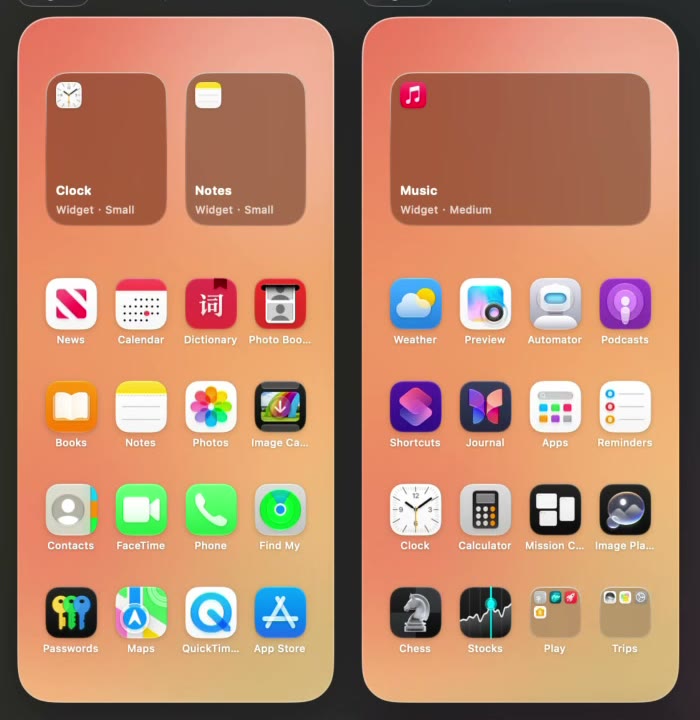
By color or A to Z
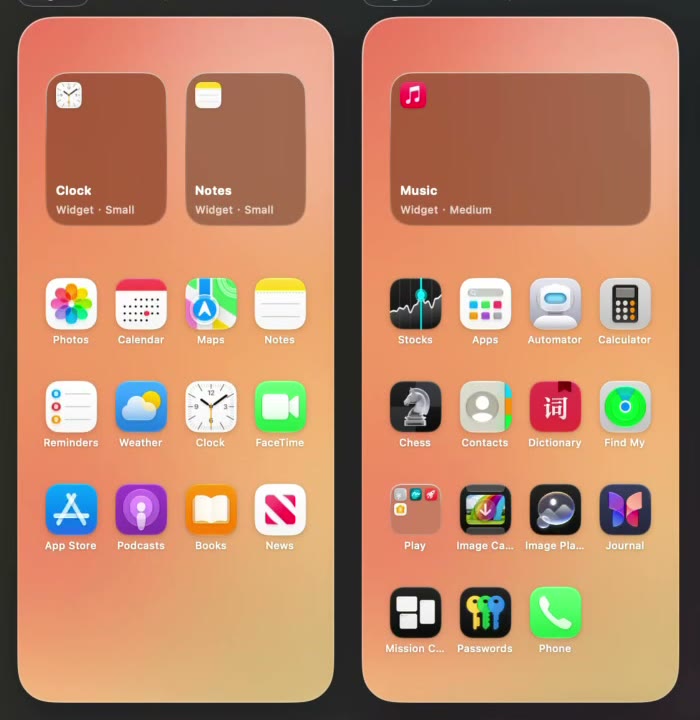
Arrange by color for a home screen that fades from one hue to the next, or A to Z to put apps in alphabetical order.
Do not like it? Undo.
Rearrange your iPhone and iPad apps from your Mac, with every home screen page side by side. Coming early December 2026.
Watch the demoTidyGrid runs on your Mac.Reading this on a phone? Send yourself the link and open it there.
Send the link to my Mac$9.99
once, with no subscription
3Macs
on one license
14days
to ask for a refund
10
backups kept for each device
TidyGrid, for iPhone and iPad
One click on Arrange, By color.Recorded in TidyGrid with its built-in sample iPhone.
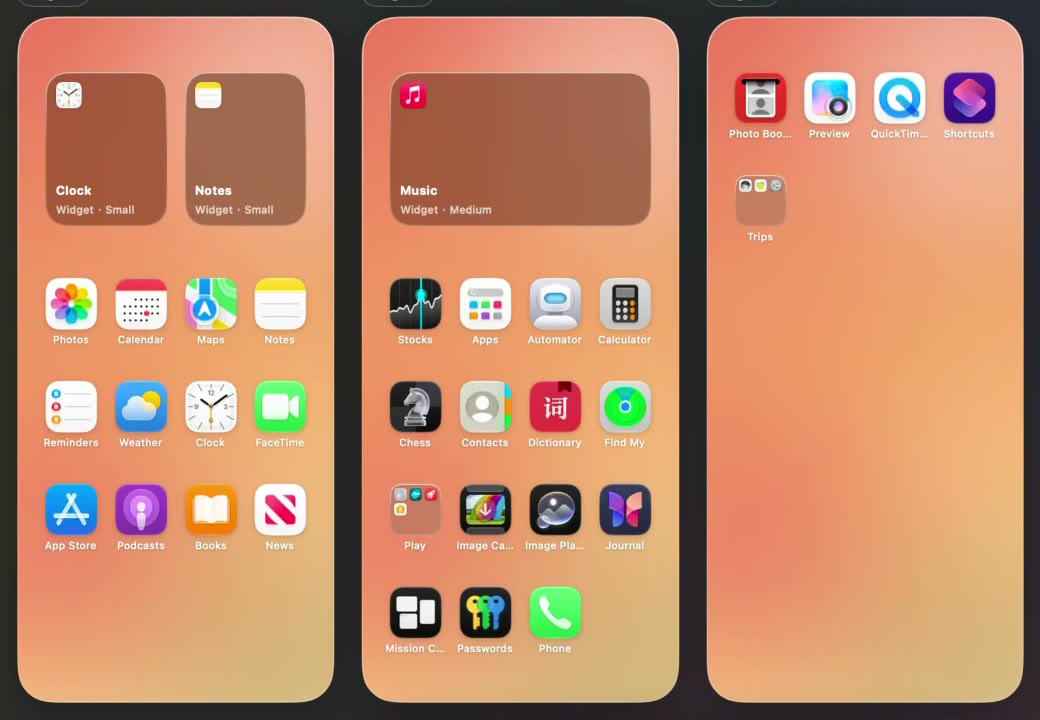
On the phone you move one app at a time and everything else shifts. On your Mac you see the whole home screen and move what you want.
1
Connect your iPhone or iPad to your Mac with a cable, unlock it and tap Trust. TidyGrid reads the home screen as it is now.
2
Drag apps around, use Arrange, or ask your AI agent. Everything you do is a draft, and the toolbar counts your changes.
3
TidyGrid backs up the current layout, writes the new one, reads it back and checks that the device matches your draft.
By hand, with one click, or by asking an AI agent. Whichever you pick, the last step is always yours.
Arrange by color for a home screen that fades from one hue to the next, or A to Z to put apps in alphabetical order.
Works with Claude Code, Codex and Cursor. The agent reads your layout and proposes a new one as a draft. It has no way to write to the device. Only you can press Apply.

Before TidyGrid writes anything, it saves the layout that is on the device. It keeps the last 10 backups for each device, and any of them can be restored.
Apple does not document how home screen layouts are read and written. So we test each system version on a real device before TidyGrid is allowed to change it, and we only list what has passed.
On a version we have not finished testing, TidyGrid opens the layout read-only and says why. Last updated November 14, 2026.
Arrange and preview for as long as you like. Pay once, when you are ready to change the device.
For looking around and planning.
Nothing to pay until you apply.
For changing the real home screen.
No subscription.
Price in USD. Sales open with version 1.0, planned for early December 2026. Requires a Mac with Apple silicon.
What works today, what is still in testing, and what we cannot promise.
All questions Home screen guidesThe first public release, version 1.0, is planned for early December 2026. There is no download yet. Join the waitlist and we will email you when it is ready.
We test each system version on a real device and only list what has passed. Reading a layout is tested on iPadOS 15, iOS 16, iOS 17 and iOS 27. Applying a new layout is tested on iPadOS 15.3.1 and iOS 27.2. Applying on iOS 16, iOS 17, iOS 18 and iOS 26 is still in testing. On a version we have not finished testing, TidyGrid opens the layout read-only and says why.
Downloading the app, arranging your home screen and previewing every change are free. Applying the new layout to an iPhone or iPad needs a license: $9.99 once, no subscription, valid on 3 Macs, with a 14-day refund.
You need a Mac with Apple silicon, your iPhone or iPad, and a cable between the device and the Mac. TidyGrid is a Mac app. Nothing is installed on the iPhone or iPad.
No. An agent can read the draft layout and propose a new one, and the proposal shows up in the TidyGrid window as a draft you can undo. There is no tool that writes to the device. Only you can press Apply.
TidyGrid saves a backup of the current layout before every apply and keeps the last 10 for each device. Pick a backup and restore it.
No. Your layout, your list of apps and their icons are stored only on your Mac.
We cannot promise that. Apple does not publish documentation for the way home screen layouts are read and written, so a system update can break it until we ship a fix. That is why we list tested versions one by one, and why every purchase has a 14-day refund.
No. TidyGrid is an independent app and is not affiliated with Apple. It is not on the Mac App Store. You download it from this site.

TidyGrid 1.0 is planned for early December 2026. Leave your email and we will tell you when you can download it.